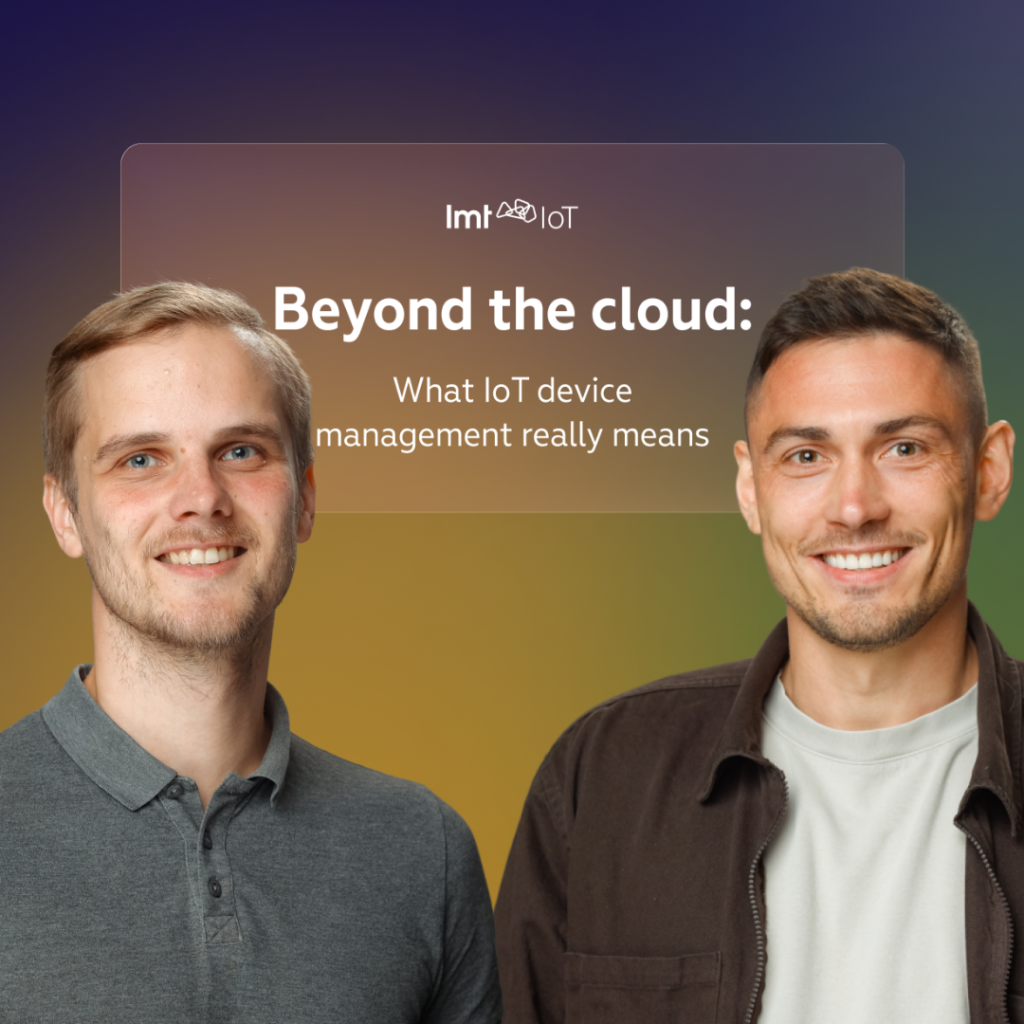


Webinar: Beyond the cloud: What IoT device management really means
Produced by LMT IoT
Speakers
Annija Frīdenberga, Head of Operations at LMT IoT
Arturs Lalovs, Head of IoT Business Unit at LMT IoT
Reinis Pakers, AWS System Architect at LMT IoT
What is this webinar about?
This webinar explores what IoT device management means beyond simply collecting and storing device data in the cloud.
The discussion covers both the business and technical sides of managing connected devices throughout their lifetime. It explains how a device management platform can help companies develop prototypes, monitor deployed products, manage large device fleets, perform remote actions, update firmware, identify technical problems, integrate device data with other systems, and support customers more effectively.
The webinar also includes a live demonstration of the LMT IoT device management platform, showing how companies can register, configure devices, receive measurements, monitor device health, perform remote actions, and create integrations through APIs and webhooks.
Who are the speakers in this webinar?
The webinar is moderated by Annija Frīdenberga, Head of Operations at LMT IoT.
Arturs Lalovs is the Head of IoT Business Unit at LMT IoT. He has been involved in the development of LMT IoT solutions from the beginning and has worked with customers throughout the complete connected-product journey. His experience helps connect technical capabilities with real business needs and commercial deployment challenges.
Reinis Pakers is an AWS System Architect at LMT IoT. He works with the architecture, scalability, reliability, and security of LMT IoT’s cloud systems. He is also closely involved in the technical development of the device management platform and the infrastructure that supports connected devices at scale.
What is an IoT device management platform?
An IoT device management platform is a system that helps companies monitor, configure, maintain, and support connected devices after they have been developed and deployed.
It can receive measurements and events from devices, show whether devices are online, monitor their health, manage firmware versions, perform remote actions, provide access to device logs, and send alerts when something is not operating as expected.
The platform can also help companies organise devices between distributors, customers, locations, product types, and other groups.
For organisations operating hundreds or thousands of connected products, the platform becomes the central system for understanding what is happening across the entire device fleet.
Why is device management more than storing data in the cloud?
Storing measurements is only one part of managing connected devices.
A company also needs to know whether devices are communicating, whether their signal strength is sufficient, which firmware version they are using, whether errors are occurring, and whether their behaviour matches the expected operating conditions.
When something goes wrong, the company needs tools to investigate the issue and respond without physically visiting the device.
A device management platform therefore creates a connection between the company and its deployed products. It allows the company to monitor, maintain, troubleshoot, and improve those products throughout their lifetime.
How does the platform help during product development?
One of the first benefits is the close integration between the platform and the IoT Shortcut System on Module.
When developing a new connected device, companies would otherwise need to select a cloud platform, choose a communication protocol, configure security, develop data-transfer logic, and connect several separate services before they can receive the first measurements.
With IoT Shortcut, much of this foundation is already integrated.
Depending on the complexity of the product, a company can begin sending data from a device to the platform within hours or days. This makes it possible to validate sensors, communication logic, data, and the wider business idea much earlier.
Is the platform useful only after a product has been launched?
No. The platform can create value from the first prototype onward.
Even when a company has only one device, it still needs a way to receive measurements, inspect device behaviour, and test whether the concept works in real conditions.
The same platform can then continue supporting the product as it moves from one prototype to a commercial deployment with hundreds or thousands of devices.
This means companies do not have to replace their initial development infrastructure when the product begins to scale.
When does device management become especially important?
Managing ten or twenty devices may still be possible through manual processes. A company may know which device belongs to which customer and can inspect problems individually.
That approach becomes difficult when the number grows to hundreds or thousands.
At that stage, companies need a system that can organise the devices, monitor their behaviour, identify unusual conditions, and provide information to support teams automatically.
Without such a system, it becomes increasingly difficult to understand which devices are functioning correctly, which customers are affected by an issue, and where technical attention is required.
Why should a connected device be treated as a continuously evolving product?
A connected device is not a static product that is completed once and never changed again.
After deployment, its firmware may need to be updated. Network conditions may change. Previously unknown technical issues may appear. New functionality may need to be introduced, and performance may need to be improved.
Companies therefore need to monitor connected devices throughout their operational lifetime.
Arturs compares a connected device to a living system: it needs to be observed, maintained, updated, and improved continuously.
What information should a good device management platform provide?
Different users need different levels of information.
A distributor, service provider, or customer-support team may primarily need to know whether a device is active, when it last communicated, whether it is connected to the network, and whether there are any visible problems.
A technical team may need more detailed information, such as connection counts, communication sessions, firmware versions, logs, signal strength, device events, and performance metrics.
The platform needs to make basic information easy to understand while still providing deeper technical details when they are required.
Why are alerts important for device management?
A connected product can generate a large number of measurements and technical metrics.
It is not realistic for a person to watch every dashboard continuously and manually identify every unusual condition.
Alerts allow the system to monitor predefined conditions automatically. When a device no longer operates within the expected limits, the appropriate team can be notified.
This helps companies react more quickly and focus their attention on devices that actually require investigation.
How does device-health monitoring help companies?
Device-health monitoring identifies devices whose behaviour does not match the expected operating conditions.
For example, the system can detect that a device has not communicated within an expected period, is experiencing poor signal strength, is creating an unusual number of network sessions, or is reporting technical errors.
The platform can then display the unhealthy devices and allow users to filter them by product type, firmware version, or other characteristics.
This can make it easier to determine whether a problem affects one individual device or a wider group.
How can health monitoring improve customer service?
Without health monitoring, a company may only discover a problem when the customer reports that the product is not working.
With automatic monitoring and alerts, the company may identify the issue first.
The support team can investigate the problem, perform remote actions, or contact the customer before the problem becomes more serious.
This changes customer service from a reactive process into a more proactive one.
What remote actions can be performed through the platform?
The platform can schedule actions that are sent to a device the next time it connects.
Predefined actions include restarting a device, requesting logs, and initiating a firmware update.
The platform can also send terminal commands supported by the device firmware. This creates flexibility for performing product-specific remote actions.
A job can be assigned to a particular device or a selected group of devices. The platform then records whether the action was completed successfully or failed.
Why are firmware-over-the-air updates important?
Laboratory testing cannot reproduce every environment and every situation that a connected product will experience after deployment.
Once devices are being used by customers, companies may discover technical issues, identify opportunities to improve battery performance, or decide to introduce new functionality.
Firmware-over-the-air updates allow these changes to be delivered remotely.
Without this capability, updating a device may require a technician to visit the location, physically connect to it, or ask the customer to return the product.
For a large device fleet, that process can become expensive and impractical.
How does the firmware repository work?
The platform includes a firmware repository where companies can upload and manage different versions of their device firmware.
Each firmware file can be associated with a particular device type. During development, several firmware iterations can be stored and tested.
When a new version is ready, the company can create a remote update job and assign it to selected devices.
Keeping the firmware versions inside the platform also helps technical teams understand which version is currently installed on each device.
Why is remote access to device logs useful?
When a device behaves incorrectly, technical teams often need its logs to understand what happened.
Without remote access, someone may need to visit the device, connect through a cable or Bluetooth, and retrieve the information manually.
Through the platform, a log request can be sent remotely. When the device connects, it collects the relevant information and sends it to the server.
The engineering team can then investigate the issue from the office instead of travelling to the device location.
Which communication protocol does LMT IoT use for low-power devices?
MQTT is one of the most common protocols used in IoT systems.
However, it often relies on maintaining a connection, which may consume more energy than is suitable for some battery-powered, low-power cellular devices.
LMT IoT therefore selected CoAP over UDP for communication between IoT Shortcut devices and the platform.
CoAP is a lightweight protocol that can help reduce the communication overhead and the time the device needs to remain connected to the network.
Why does reducing the amount of transferred data matter?
For a low-power cellular device, every transmitted byte can affect energy consumption.
The device needs to activate its modem, connect to the network, transmit the information, and then return to a low-power state.
Larger data packets can increase the amount of time the device remains active. This can influence both battery life and connectivity costs.
LMT IoT therefore optimises not only the communication protocol but also the format used to structure the data.
Why are Protocol Buffers used instead of JSON?
JSON is widely used in web applications because it is readable and flexible. However, it can create relatively large payloads because the names of fields and other structural information are repeated inside the message.
LMT IoT uses Protocol Buffers to serialise device data into a more compact format.
This reduces the size of the information transmitted between the device and the cloud.
Protocol Buffers require a defined schema shared between the device and the backend. However, firmware-over-the-air updates allow that schema and device functionality to evolve when required.
How is device communication secured?
CoAP and Protocol Buffers provide the communication and data structure, but they do not automatically encrypt the information.
LMT IoT therefore adds encryption to protect the data transferred between devices and the cloud.
Encryption increases the packet size slightly, but it is treated as a necessary part of sending device information securely over the internet.
Security is considered from the beginning when designing the platform and its communication architecture.
How does a new company begin using the platform?
During the demonstration, Reinis shows how a new organisation can create an account through the platform’s self-registration process.
The organisation provides its basic company and contact information. The first login credentials are then sent by email.
When the user signs in for the first time, the platform requires the initial password to be changed.
After that, the user enters the dashboard and can begin configuring device types, adding devices, and preparing the account for product deployment.
What is a tenant in the device management platform?
A tenant represents a company, distributor, partner, or another organisation managing devices through the platform.
The tenant can see information about its complete device fleet, including the number of devices, customers, device types, and active products.
This structure helps separate the devices and customers belonging to different organisations.
It also supports business models where a manufacturer works with distributors, installers, service companies, or other partners.
What is a device type?
A device type defines the characteristics of a particular connected product.
For example, a company developing an air-quality sensor can create a device type that includes temperature and humidity measurements.
Each measurement is configured as a separate track with its own name and unit.
Additional tracks can be added when a product includes more sensors or needs to send different kinds of measurements and events.
How are individual devices added to the platform?
Each manufactured device has a unique identifier, such as a serial number.
The user enters that identifier into the platform and assigns the device to the relevant device type.
Once configured, the platform knows what measurements and functionality to expect from the device.
The device can then begin sending data and can later be assigned to a customer or activated by an end user.
What information is available in an individual device profile?
An individual device profile can display information such as:
- The installed firmware version
- The time of the most recent communication
- Measurements received from connected sensors
- Device events and technical information
- GPS location, when supported
- Cellular signal strength
- Device-health information
- Completed or scheduled remote actions
This gives both business and technical teams a central view of what is happening with a particular device.
Why is cellular signal strength important?
Signal strength can affect whether a device communicates reliably and how much energy it consumes.
When the signal is poor, the device may need more time or more attempts to connect and transfer its data. This can have a negative effect on battery life.
Monitoring signal strength helps companies identify unsuitable device locations and recommend that customers reposition the device when possible.
It can also help technical teams distinguish between a hardware or firmware problem and a connectivity-related issue.
How can an end customer activate a device?
Once a device has been prepared by the manufacturer or distributor, it can be activated by the end customer.
The platform can generate a QR code for the device. The customer scans the code and provides the required account information, such as a phone number.
The device is then assigned to that customer.
After activation, the customer can view the relevant measurements through a portal or a mobile application.
Can the platform send data to a customer’s existing system?
Yes. The platform supports integrations through APIs and webhooks.
These options allow companies to use the LMT IoT infrastructure for device communication and management while also transferring information to their own software, dashboards, databases, or customer-facing applications.
This is useful when a company already has an existing digital platform or needs to perform custom calculations and analysis.
How do API integrations work?
The platform can generate private API keys that allow another system to access its functionality programmatically.
Depending on the permissions provided, an external application can retrieve data, inspect devices, and perform management actions through the API.
For more advanced integrations, access can be configured with controls such as rate limits and IP whitelisting.
The credentials can be managed separately for individual integrations or customers.
What are webhooks?
Webhooks allow the platform to send information automatically to another system when new data becomes available.
The company provides the destination URL, and the platform sends the relevant information to that endpoint in near real time.
The platform supports webhooks for measurements and events.
Measurement webhooks can send sensor readings, while event webhooks can send information about errors, health conditions, signal problems, or other device-generated events.
What is the difference between an API and a webhook?
An API is typically used when another system actively requests information or performs an action.
A webhook works in the opposite direction. The device management platform sends information automatically when a new measurement or event occurs.
Companies can use one or both approaches depending on their architecture.
For example, webhooks may deliver live device data to a customer’s system, while the API can be used to retrieve historical information or initiate a management action.
How does the platform support scalability?
The platform architecture separates device communication from the other parts of the system.
The infrastructure responsible for receiving information from devices operates independently from the infrastructure used by portals, customer applications, APIs, and webhooks.
This separation helps prevent an unexpected load in one area from affecting the complete platform.
The different parts of the system can also use their own scaling policies depending on the type and volume of traffic they receive.
Why is device communication separated from other infrastructure?
Device communication has different technical requirements from a traditional web application.
Thousands of devices may connect at different times, and their behaviour can create unexpected traffic patterns.
By isolating the communication layer, LMT IoT can scale it independently and reduce the risk that device traffic affects customer portals or other services.
The architecture also uses AWS services for distributing messages and managing workloads between different components.
How does AWS support the platform?
LMT IoT uses AWS infrastructure and services to support scalability and reliability.
Services such as notification and queue systems help distribute incoming information between different platform components.
Auto-scaling can also adjust the number of infrastructure resources when the platform experiences changing levels of traffic.
This is especially important because the exact timing and size of traffic spikes cannot always be predicted in advance.
What is the commercial value of a device management platform?
From a commercial perspective, one of the worst situations is deploying a product and then having no visibility into what happens to it.
A company needs to know whether its devices are working and needs the ability to interact with them when problems appear.
Remote commands, firmware updates, log requests, device-health monitoring, and alerts allow the company to maintain a closer connection with deployed products.
This can reduce support costs, improve customer service, and make it more realistic to operate a commercial product at scale.
What is the minimum number of devices needed before the platform becomes useful?
The platform can create value from the first device.
For a prototype, it provides a fast way to receive data, validate the concept, and test the product in real conditions.
As the number of devices grows, the same platform provides the organisation, automation, and monitoring needed to manage the wider fleet.
There is therefore no large minimum deployment required before device management starts to make sense.
Can the platform be used with an existing connected product?
Technically, existing and third-party devices can be integrated.
However, the effort depends on the product’s existing hardware, firmware, communication protocols, security architecture, and operating logic.
The strongest integration is achieved when the product uses the IoT Shortcut System on Module because the hardware, firmware SDK, connectivity, communication, and cloud services are already designed to work together.
An existing product may also be redesigned to include IoT Shortcut and gain access to the integrated platform functionality.
Can the platform manage third-party devices?
Third-party integration is technically possible, but it may require rebuilding several of the layers that IoT Shortcut already provides.
The company may need to implement the correct communication protocol, data structure, encryption, device identity, and remote-management functionality.
For this reason, the platform creates the greatest value when it is combined with IoT Shortcut hardware and the supporting SDK.
That combination provides a more standardised and deeply integrated path from the device to the cloud.
How much can the platform be customised?
The platform supports white-label customisation for different companies and tenants.
Standard options include interface colours, button appearance and positioning, translations, text, and available languages or locales.
Companies may also have additional requirements beyond the standard configuration.
Those requests can be evaluated separately depending on the use case and the level of customisation needed.
How long does it take to integrate a product with the platform?
The timeline depends on several factors.
These include the complexity of the device, the number of sensors, the device’s operational logic, the protocols it currently uses, and the technical experience available within the company’s team.
A product using IoT Shortcut benefits from the existing integration and can begin communicating with the platform much more quickly.
A product using a different hardware and communication architecture may require additional development and investigation, particularly when it is a specialised low-power cellular device.
What happens when a device goes offline?
A temporary loss of connectivity does not necessarily mean that all measurements are lost.
A device can store information in its local memory while it is unable to connect. When the network becomes available again, it can send the stored measurements to the platform.
How much information can be recovered depends on the device design, available memory, number of sensors, and measurement frequency.
A device measuring one value occasionally can store data for longer than a device collecting information from many sensors every second.
If the device remains offline longer than its available memory can support, some of the oldest data may eventually be lost.
What is a realistic first step for a company interested in better device management?
The first step is to understand the company’s current product and operational needs.
Useful questions include:
- What product is being developed or already deployed?
- Which measurements and events need to be collected?
- How many devices are expected?
- How frequently do the devices communicate?
- What remote actions are required?
- Does the product need firmware updates?
- How should customers access the data?
- Does the company already have its own application or cloud system?
- Can IoT Shortcut be integrated into the product?
A meeting with the LMT IoT team can then help evaluate whether the platform and IoT Shortcut are a suitable fit and what an integration path could look like.
What is the main takeaway from the webinar?
IoT device management is not simply a place where measurements are stored.
It is the infrastructure that allows companies to remain connected to their products after those products leave the laboratory and enter the real world.
A complete platform helps companies develop prototypes faster, monitor device fleets, detect problems, update firmware, retrieve logs, perform remote actions, integrate data with other systems, support customers, and scale commercial deployments.
The greatest value comes from planning device management as part of the connected-product architecture rather than treating it as an additional feature introduced after deployment.